A Book on IBM Connections: What’s Possible?
One of the major challenges with getting people in organizations to adopt new collaboration tools – or social business technologies – is helping them to understand what their work would look like if they were to shift to the new way of doing things. Often vendors talk about their products through the lens of features and functions, which is definitely helpful but not enough by itself.
As an independent collaboration strategist, one of the ways Michael Sampson works with clients is to help them understand what’s possible by developing scenarios of how work would be different. Michael’s first book, Seamless Teamwork: Using Microsoft SharePoint Technologies to Collaborate, Innovate, and Drive Business in New Ways (2008) took this approach for conveying how people could use Microsoft SharePoint for running a project. It starts with Roger who works at Fourth Coffee who is given a project to run, and is expected to use SharePoint 2007 for that. Michael’s most recent book, Doing Business with IBM Connections (2013), takes the same approach for IBM Connections 4.5, but covers ten different collaboration scenarios.
Those are:
- Co-Authoring Documents
- Managing Meetings
- Holding Discussions
- Distributing Team and Organizational Updates
- Capturing Ideas for Innovation
- Running a Project
- Sharing Learning and Best Practice
- Making Decisions
- Finding Expertise
- Achieving Individual Coherence
The book is set in a fictitious company called Albreto, and the adoption and use of IBM Connections starts in the Marketing Department and works its way out from there. Michael’s book is designed as an adoption resource, and is much more about the business and human things that need to work in each scenario rather than just focusing on where to click in Connections. For example, in the Document Co-Authoring scenario, there are specific steps given for how to co-author a document, but there is also reference made to the human dynamics of writing a first draft that allows scope for collaboration, and there’s an advanced concepts discussion at the end of that chapter on how early stage collaboration can reduce the quality of input. This style of approach is followed throughout Michael’s book.
If you are using IBM Connections, it would be a great resource to have available for your users. If you are not using IBM Connections, it would be a great resource to review for the approaches in each scenario. Those approaches are very transferable.
(With Thanksgiving just around the corner, Michael is running a special offer at the moment on his book. You can get 20% off the price of the paperback editions, or the corporate licensing fee for the e-book version. All the details are here – www.michaelsampson.net/thanksgiving.html)
Snagit for OS X gets an update
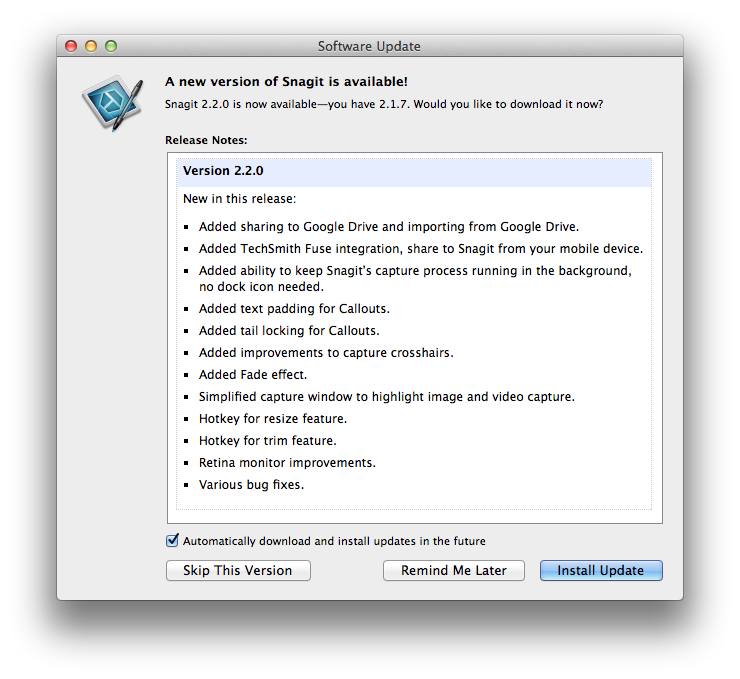 Snagit has been my “go to” app for on OS X for all things screen capture. This update adds some nice features that I have been asking for. Snagit in combination with Camtasia 2 for screencasts are the most used tools now in my “educators toolbox”.
This made us smile…

Elguji Software just wrapped up an IdeaJam event for the University of Texas, LBJ School of Public Affairs that took place last week. In the mail today we received a handwritten thank you note from the jam’s primary stakeholders. Gayle did an awesome job as the success manager for this event.
I absolutely love what we have done and continue to do with our IdeaJam product. We get to work with so many great companies and organizations from around the world. We are truly blessed.
Box Model Demonstration Video
NOTE: It appears that the video quality isn’t quite where it needs to be. I will post an updated one when I resolve the resolution issue.
Here is a video I put together which demonstrates some basic “box model” concepts for the beginner web developer:
Joel Spolsky talks about of all things – Lotus Notes
Joel Spolsky – CEO of Stack Exchange & Co-Founder at Fog Creek software talks with Jason Calacanis about of all things – IBM’s Lotus Notes and other great technologies introduced in the 1990’s:
EYE Chart Magazine – Putting Apple and Tech News in Focus
Ken Ray of the MacOSKen podcast has started a new Apple news magazine called EYE Chart available in the App Store:

This digital-only publication covers Apple news and technology news, since it’s nearly impossible to cover one without covering the other. Monday through Friday, readers will get financial news, hardware news, software news, retail news, consumer news and more. If it’s Apple or related to Apple, EYE Chart aims to cover it.
You can get the magazine as a single issue for $1.99 (non-subscription), 1-month subscription for $4.99, automatically renewed until canceled. Payment for all purchases will be charged to your iTunes account at the confirmation of your purchase.
Mac-cessibility Network: All Things Accessibility for Apple Products
On the October 13, 2013 episode of the legendary MacCast, Adam Christianson interviews Josh de Lioncourt, a blind Apple products user. Josh is part of the Maccessibility Network which focusses on accessibility of Apple products:
Maccessibility is devoted to connecting, compiling, and providing easy access to the best resources for blind, visually impaired, and other disability groups using Apple products. It is maintained by a dedicated group of visually impaired volunteers, who are Apple enthusiasts themselves.
Maccessibility began in 2007 as a project on Lioncourt.com to provide news and informational materials to low and no vision users of the Mac platform. Additionally, it served as a resource to dispel false information regarding the accessibility of Apple products.
As somebody who relies on accessibility on both OS X and iOS I am surprised I didn’t know about the Maccessibility site sooner. Many thanks to Adam for a great interview with Josh and for his awesome MacCast podcast.
You would think people would be smarter
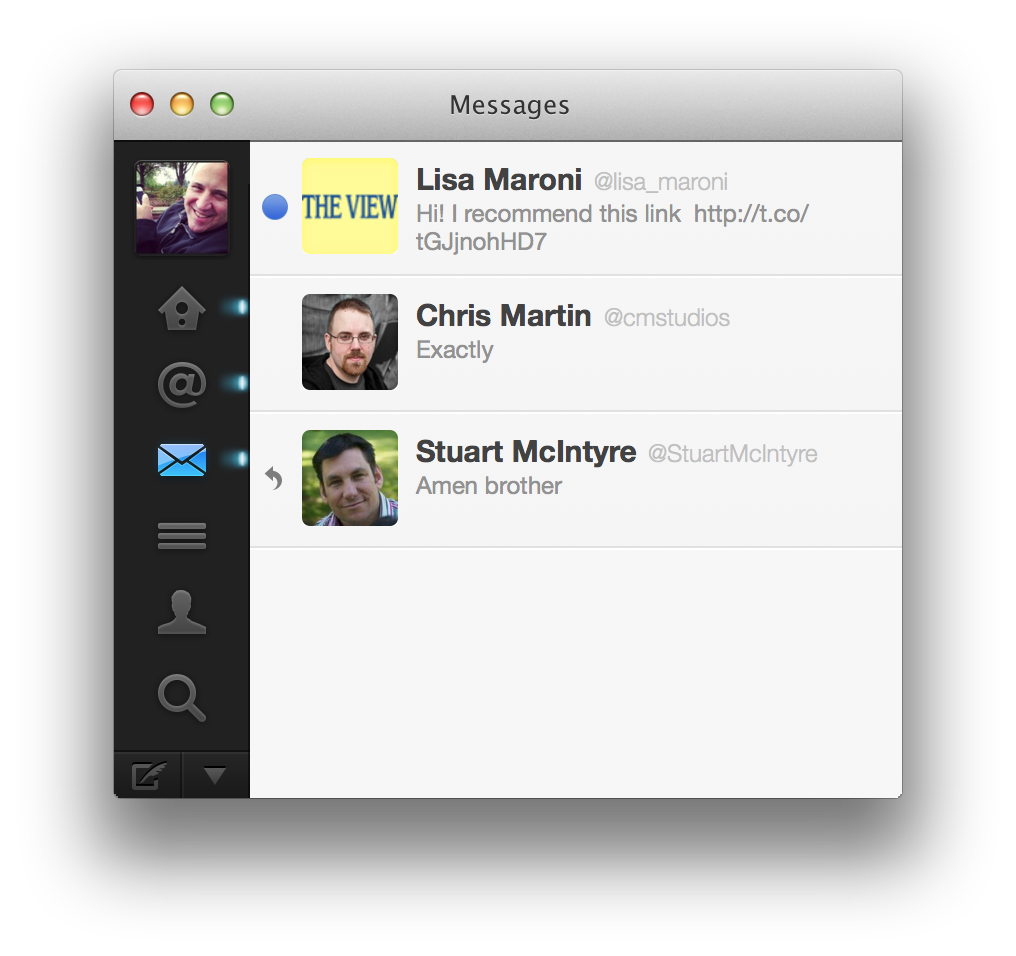 The unread Twitter DM tweet is what I am referring to. To be honest, I get these from dozens of people, almost daily. Think before you click people.
Camtasia 2 Update for Mac
TechSmith released version 2.5 of their Camtasia 2 for Mac software. Here are a list of the fixes and improvements:
Enhancements in Version 2.5.0
- Added a share history window
- Added Facebook and Twitter buttons in the share history window using the built-in social features of OS X 10.8 and later.
- Improved capture frame rate by leveraging a new capture method on OS X 10.8 and later
- Added an integrated color picker and a user preference for those who prefer the system color picker
- Added a “Mix to mono” option which is useful when all the audio is in the left or right channel, and you’d like it in both
- Added the ability to lock tracks to prevent edits from affecting the media on the track
- Added the ability to turn tracks off, which hides the visuals and mutes the audio on the track
- Added the option to use linear interpolation for key frame actions
- Fixed an issue where the Media bin thumbnail was black for images larger than 5000×5000
- Allow user to press Shift key after mouse down in order to make a range selection
- Added the ability to use the Shift key with the comma and period keys to fine tune a timeline range selection
- Limit the max width of an arrow to 100 to prevent rendering errors
- Fixed an issue where the timeline didn’t auto-scroll when dragging the edge of a media clip to extend its duration
- Disabled context menu items that will not work for offline source files in the media bin
- Fixed an issue where keystrokes are not recorded correctly when the system is configured with JPN language settings
- Fixed an issue where the canvas width could be selected but typing would not change the number in the edit box
- Fixed an issue where a project could get into a corrupt state where it could not be saved or opened
- Fixed an issue where thumbnails in the media bin could appear stretched
- Fixed an issue where a freeze region effect is added to entire media rather than a set duration when added from the context menu
- Fixed an issue where control + click did not bring up the contextual menu for an effect in the asset bin
- Fixed an issue where repeated use of cut and undo could lead to a crash
- Fixed an issue where the zoom slider could get stuck at a particular zoom level
- Fixed performance problems when 2 stacked clips have a freeze region effect at the same time
- Fixed a crash when exporting an annotation that has a device frame applied to it
- Fixed an issue where dragging an action to the end of a media does not move it to the end unless you first zoom in on the timeline
- Fixed a crash when exporting to Screencast.com using a project that contains markers
- Fixed an issue where not all mask properties were red when in global edit mode
- Fixed a crash when entering the captions view on systems where the “Arial” font is disabled
- Fixed an issue where the lock aspect ratio in the Adjust Canvas dialog was not working correctly
- Fixed an issue where you couldn’t tab between the input boxes in the Adjust Canvas dialog
- Fixed a crash when trying to split media with multiple actions selected
I’m a big fan of this software and use it in my course development for Clark College and highly recommend it.
 Bruce Elgort