OH: NodeJS + MongoDB is this generation’s Laurel and Hardy stack (“look at this mess you got me into”). Last generation’s was PHP + MySQL
— Stephan H. Wissel (@notessensei) June 9, 2016
OH: NodeJS + MongoDB is this generation’s Laurel and Hardy stack (“look at this mess you got me into”). Last generation’s was PHP + MySQL
— Stephan H. Wissel (@notessensei) June 9, 2016
Here is a very simple example using Python of calling the IBM Watson Language Translation Service. Feel free to use and modify the code as needed. You will need an IBM Bluemix account in order to use the translation service.
# CTEC 121 Intro to Programming and Problem Solving
# Bruce Elgort / Clark College
# Using IBM Watson's Language Translator
# February 27, 2016
# Revised: May 24, 2016
# Version 1.1
import requests
def cls():
print("\n" * 5)
def translate_text(text,source,target):
username = 'your username'
password = 'your password'
watsonUrl = 'https://gateway.watsonplatform.net/language-translation/api/v2/translate?source=' + source + '&target=' + target + '&text=' + text
try:
r = requests.get(watsonUrl,auth=(username,password))
#print(r)
return r.text
except:
return False
def welcome():
message = "Welcome to the IBM Watson Translator\n"
print(message + "-" * len(message) + "\n")
print("Have fun!\n")
def main():
cls()
welcome()
data = input("Enter some text to be translated:\n")
print()
print("What language should I translate it to?")
print("1) Spanish")
print("2) Arabic")
print("3) French")
print("4) Portuguese")
print()
target = input("Select a language from the list above: ")
if target == "1":
target = 'es'
elif target == "2":
target = 'ar'
elif target == "3":
target = 'fr'
elif target == "4":
target = 'pt'
results = translate_text(data,'en',target)
print()
print("Here is the text translated for you:")
print(results)
main()
Here is a sample Python program that you can use to analyze the tone of text using IBM’s Watson Tone Analysis service on Bluemix. To get started with Bluemix you can sign up at http://bluemix.net. Feel free to use and modify the code as needed.
# CTEC 121 Intro to Programming and Problem Solving
# Bruce Elgort / Clark College
# Using IBM Watson's Tone Analyzer to detect and interpret emotional, social, and writing cues found in text.
# February 26, 2016
# Version 1.0
import requests
import json
def analyze_tone(text):
username = 'your username'
password = 'your password'
watsonUrl = 'https://gateway.watsonplatform.net/tone-analyzer-beta/api/v3/tone?version=2016-05-18'
headers = {"content-type": "text/plain"}
data = text
try:
r = requests.post(watsonUrl, auth=(username,password),headers = headers,
data=data)
return r.text
except:
return False
def welcome():
message = "Welcome to the IBM Watson Tone Analyzer\n"
print(message + "-" * len(message) + "\n")
message = "How it works"
print(message)
message = "Perhaps a bit too aggressive in your emails? Are your blog posts a little too friendly? Tone Analyzer might be able to help. The service uses linguistic analysis to detect and interpret emotional, social, and writing cues found in text."
print(message)
print()
print("Have fun!\n")
def display_results(data):
data = json.loads(str(data))
print(data)
for i in data['document_tone']['tone_categories']:
print(i['category_name'])
print("-" * len(i['category_name']))
for j in i['tones']:
print(j['tone_name'].ljust(20),(str(round(j['score'] * 100,1)) + "%").rjust(10))
print()
print()
def main():
welcome()
data = input("Enter some text to be analyzed for tone analysis by IBM Watson (Q to quit):\n")
if len(data) >= 1:
if data == 'q'.lower():
exit
results = analyze_tone(data)
if results != False:
display_results(results)
exit
else:
print("Something went wrong")
main()
As a college instructor, there is one thing that I rarely have ever talked about and that is how I have improved my skills. Every day in class I am constantly being asked to help solve student programming problems and demonstrate and explain my solutions. There has rarely been a time when I couldn’t come up with a solution.
The other skill that I have developed is solving problems “over the air”. What this entails is being able to solve a student’s problems without even seeing their code. I ask a series of questions and by the time we get to the second or third question the student has resolved their own problem.
I highly recommend that you give teaching of any kind a try. It will not only help your students but yourself.
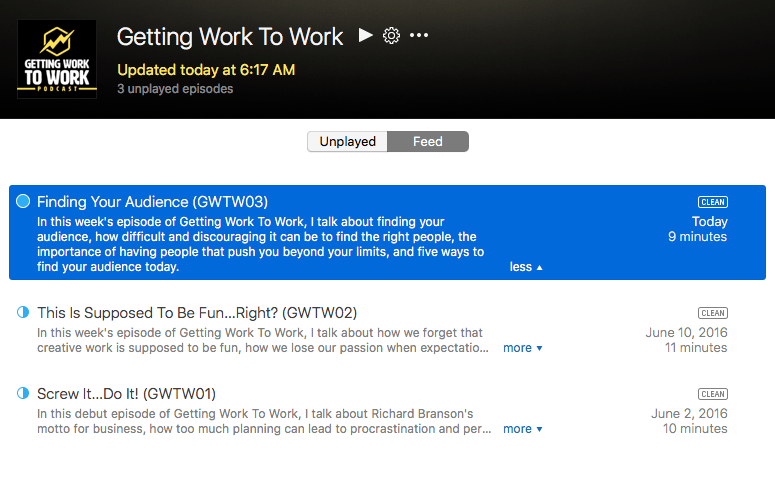
My friend and colleague, Chris Martin has just launched a new podcast entitled “Getting Work To Work”. The first episode “Screw It..Do It! is now available for you to listen to. Please feel free to share this new podcast with your friends, colleagues, and family as I know that they can all learn something from this amazing guy, Chris Martin.
The Curiosity Lab brings stories and inspiration designed to spark your creativity to your inbox twice a month. Sections include experiments in increasing your curiosity, links to a variety of media and articles that act as propellant, and updates on the work being produced by Chris Martin Studios.
Registration for Clark College summer and fall quarters is now open! I’m teaching HTML Fundamentals (CTEC 122) this summer, and in the fall, Intro to Programming and Problem Solving (CTEC 121), PHP/MySQL (CTEC 127) and Business Web Practices (CTEC 165). If you are interested in taking any of these classes, please let me know.
Please share this with your friends who might be interested in taking any of these classes.
Did I mention that I’m approaching 3.5 years of teaching at Clark? Man, how the time goes by…
Here’s an updated list of the courses I have taught at Clark College in Vancouver, WA over the past 4 years:
There are some new courses on the horizon as well that I may be teaching. Stay tuned.