Canvas knows which students are struggling. It just doesn’t tell you.

On a Monday morning, you open Canvas and see a grid filled with dozens of students across the top, a dozen or more assignments down the side, and several hundred cells overall. Most of these cells are perfectly fine, but among them are the students who have quietly stopped submitting their assignments.

The data isn’t hidden. Canvas has all of it. But a gradebook answers what did everyone get?, and the question I actually have on a Monday is who do I need to write to? Those are different questions. Getting from one to the other means scrolling, sorting, and keeping a running tally in your head per course, every week, for as many sections as you teach.

So I built EarlyARC. It’s a free, native Mac app that reads your Canvas courses and gives you the list: who needs attention, worst first, with a reason on every line.

Every flag says why

The rule I set at the start: EarlyARC never shows you a number without a reason. Not a risk score, not a colored dot, not “82% confidence.”

Each flagged student gets plain English: “3 of 15 assignments missing — 23% of the grade,” “current score 61%, below 70%,” and ” how long since they were last active in the course. You can see, in one line, whether this is someone who’s drifting or someone who had one bad week.

That’s partly so you can act on it. It’s also because you may end up explaining the flag to the student, and “the algorithm said so” is not an explanation either of you deserves.That’s partly so you can act on it. It’s also because you may end up explaining the flag to the student, and “the algorithm said so” is not an explanation either of you deserves.

Read-only, and it keeps almost nothing

EarlyARC only reads from Canvas. It cannot change a grade, post an announcement, or alter your course. There’s no path in the code that writes to Canvas at all.

Rosters live in memory while the app is running and are gone when you quit. No cache, no database, no file of student work sitting on your laptop. Your access token goes in the macOS Keychain, protected like a saved password.

This is student data. The safest place to put it is nowhere.

The part that was genuinely hard

The way out was to store the app’s opinion instead of the student’s work. EarlyARC keeps a course ID, a Canvas student ID, a date, the risk level it assigned, and how many pieces of work were missing. No name, no grade, no score, no assignment titles, no message text.

I want to be precise about what that is and isn’t, because “no name” is not the same as “anonymous.” A Canvas student ID is an identifier — under FERPA’s definition, it is personally identifiable information, just as a name would be. Anyone at your institution who can already see your course could resolve one to a student.

What the design buys is smaller and more honest than anonymity: the file holds the least that will answer the question, nothing in it is a grade or a piece of student work, and it never leaves your Mac. It’s a much thinner record than the gradebook export most of us have sitting in a Downloads folder right now. One entry per student per day, forgotten after a year, switched off or deleted from Settings in one click.

Storing grades would have been easier and would have bought nothing except a file I’d have to defend.

What it won’t do

It won’t tell you why a student stopped. That part is still your job, and it always should be. EarlyARC doesn’t predict, doesn’t reduce anyone to a percentage, and doesn’t contact anyone on your behalf. When you’re ready to reach out, it fills in your own message template and hands it to you to send.

It surfaces. You decide.

Try it out! It’s free


EarlyARC is free, runs on macOS 14 or later, and has a sample-data mode so you can see exactly how it works before you connect it to anything real.

I built it alone, with Claude Code. One instructor, no dev team, no budget.

Winter Quarter, Full Classrooms, and Finding the Rhythm Again

The Winter 2026 quarter is in the books.

For the first time since COVID, I was back teaching full-time in person. This quarter, I taught Intro to Programming and Problem Solving (CS50P), PHP with SQL 1, and Web Interface Design. Walking back into full classrooms again felt good. There is something about hearing students talk before class starts, seeing whiteboards filled, watching students help each other, and feeling the energy in the room that you simply cannot recreate online.

I’ll be honest, though. Teaching full-time in person really drains you. There’s something about it that feels like being part of an interactive educational show. You’re on your feet, constantly moving, reading the room, trying to keep students interested, answering questions, shifting gears, and making sure no one gets left behind. That gets harder with age, and by the end of some days, I definitely feel it.

Attendance was close to 100% throughout the quarter. Participation counts for 30% of the grade, which certainly helps, but students still had to choose to show up, be engaged, ask questions, contribute, and work with each other. They did, and that meant a lot. College works better when people are actually in the room together.

There were some struggles, too. One of the software development tools we needed was not accessible in our classrooms, so students had to spend the first 15 to 20 minutes of class installing it on their own devices before we could even begin. That became an unexpected routine for a while. It was frustrating, and it took away valuable class time. That is probably a story for another day.

Students today are different from those they were six years ago. Their confidence has changed. Their communication styles have evolved. Their attention spans are shorter. The world has shaped them differently. However, one thing remains the same: students still seek connection, support, structure, encouragement, and someone who believes in them.

This quarter reminded me why I still love teaching. There is something special about a full classroom, pizza days, rubber ducks on tables, group work, inside jokes, and the quiet student who finally raises their hand for the first time.

I am grateful for all of it.

And thank you to Juniper, Katie, Theo, Tiffany, Chef Earl, Niira, Fellene, Robert, Tom, Zach, Karl, Adam, Lucy, David, Rongxin, and, of course, Gayle for helping make the quarter a success.

Bringing it Back to the Classroom

Today, my classes, which usually meet on Zoom, gathered in person. And wow, what a difference. You can read the room in ways you simply can’t through a screen. You see confusion, curiosity, lightbulbs flicking on, and you can adjust right there in real time. When students are right in front of you, you can sense when something isn’t clicking and pivot immediately. That kind of feedback loop makes teaching feel alive again.

After today, I’m convinced. Starting this winter, I’ll be bringing my courses back to being fully in person. I’ll still have a few online sections, but not many. My goal is to get them all back to the classroom eventually. There’s an energy and rhythm that come from being together that technology can’t replicate.

Because it was our first in-person class in a while, I handed out rubber ducks to each student. They’re part of how I teach coding, a symbol of debugging, reflection, and patience. Watching students line them up on their laptops made me grin. It reminded me that learning works best when it’s hands-on, a little playful, and shared with others.

To top it off, my morning class enjoyed cookies, pumpkin loaf, and scones from the Clark College bakery. For a moment, the room felt like a true community again, warm, curious, and connected.

There’s also an honesty to being in a physical classroom. You can’t hide behind AI or a screen. You have to show up, think on your feet, and engage. That’s where the real learning happens. And yes, I’m still an AI proponent. My students use it, and I teach them how to use it responsibly. However, AI doesn’t replace the value of showing up, questioning ideas, or learning face-to-face.

Technology has its place, but the best learning still happens when we share the same energy, the same attention, and the same spark that only real presence can create.

After five hours of what can only be described as interactive educational theater, I’m wiped. But in the best possible way.

Fellow educators, have you experienced this difference as well?

250 Viewers in 43 Countries

I’m extremely happy to report that my “Up and Running with IBM Connections” video course has now been viewed by 250 Lynda.com subscribers in 43 countries. All of this in one weeks time. Today I received my first “user feedback” and it was extremely positive and encouraging.

You can view the first 5 videos in the series for free. There are 38 videos in total.

  1. Welcome
  2. Accessing IBM Connections for the first time
  3. Configuring notifications and account settings
  4. Updating your profile
  5. Inviting a guest

If you are not yet a Lynda.com subscriber you can sign up for a free 7 day trial.

I’m in the process of developing several more courses for Lynda however, I’m not yet able to disclose what they will be. Many thanks to my friend Jess Stratton, Lynda.com staff author and my producer Jonathan Sears for all of their help, patience and guidance.

Lynda.com Video: Women in STEM

This short film profiles inspiring examples of women who got their start, and found their calling, in STEM — Science, Technology, Engineering, Mathematics.

It features Sheeri K. Cabal, database admin at Mozilla and author of the popular OurSQL podcast; Jess Stratton, lynda.com author and the founder of Solace Learning; and Peggy Fisher, professor of computer science at Penn State and leader of several tech-focused after-school programs for disadvantaged youth.

Here Sheeri, Jess, and Peggy talk about the key factors to their success (confidence, community, and curiosity), and the ways they’re encouraging more students to enter STEM.

http://vimeo.com/107201940


The video includes my friend Jess Stratton who you may know from the IBM/Lotus world and who is now a Lynda.com staff author. The video also includes photos of Gab Davis, Kathy Brown, and many others of the “Nerd Girls”. It’s a “must watch” video.

Watch it now >

Seven Microsoft MTA’s Completed

Earlier this week I completed my seventh Microsoft Certified Technology Associate (MTA) exam. The test was the “HTML5 Application Development Fundamentals (Exam 98-375). This exam focussed on the following:

  • Managing the Application Life Cycle
  • Building the User Interface by Using HTML5: Text, Graphics, and Media
  • Building the User Interface by Using HTML5: Organization, Input, and Validation
  • Understanding CSS Essentials: Content Flow, Positioning, and Styling
  • Understanding CSS Essentials: Layouts
  • Managing Text Flow by Using CSS
  • Managing the Graphical Interface by Using CSS
  • Understanding JavaScript and Coding Essentials
  • Creating Animations, Working with Graphics, and Accessing Data
  • JavaScript Coding for the Touch Interface, Device and Operating System Resources, and More

Here is a list of the MTA’s that I have completed the last few months:

  1. Microsoft Technology Associate: HTML5 Application Development Fundamentals, July 17, 2014
  2. Microsoft Technology Associate: Networking Fundamentals, June 18, 2014
  3. Microsoft Technology Associate: Security Fundamentals, June 11, 2014
  4. Microsoft Technology Associate: Database Administration Fundamentals, June 09, 2014
  5. Microsoft Technology Associate: Web Development Fundamentals, June 09, 2014
  6. Microsoft Technology Associate: Windows Operating System Fundamentals, June 04, 2014
  7. Microsoft Technology Associate: Software Development Fundamentals, February 25, 2014

Next up is the .NET Fundamentals exam.

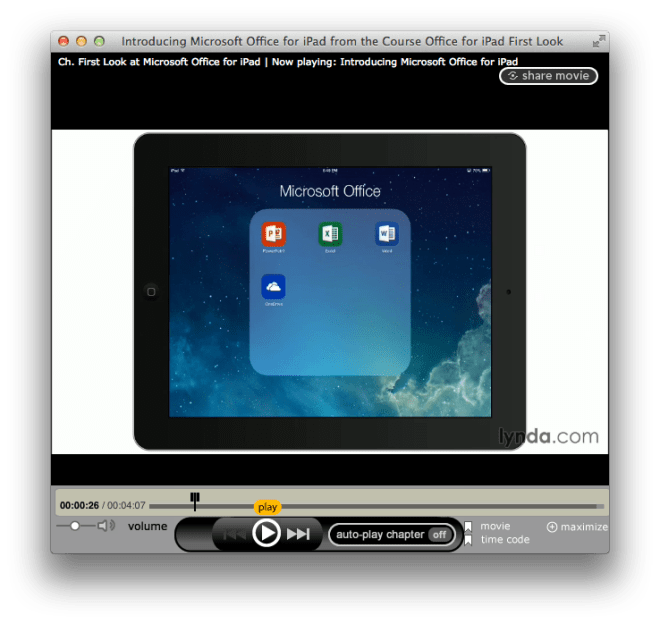
iPad for Office First Look

Jess Stratton, Lynda.com author and friend,
just released a series of free videos covering the recently release Office of iPad:

  • Introducing Microsoft Office for iPad
  • Introducing Microsoft Word for iPad
  • Introducing Microsoft Excel for iPad
  • Introducing Microsoft PowerPoint for iPad

Office for iPadWatch the videos >

Registration is Now Open for MongoDB University

Take free online courses from the creators of MongoDB. MongoDB University offers courses for both developers and DBAs.

  • Seven week courses give you flexibility to work through material when it suits your schedule.
  • Frequent assessments and check-ins by TAs and instructors help you verify your understanding.
  • A certificate of completion confirms your membership in our community of cutting-edge NoSQL technologists.

More than 100,000 people have enrolled in our courses to date.

Register now >