I wear a FreeStyle Libre sensor, and the LibreLink app on my iPhone shows me my glucose all day. What it does not do, on my phone and in many countries, is save those readings to Apple Health. My sleep, my steps, and my heart rate were all in Health. My glucose was not.
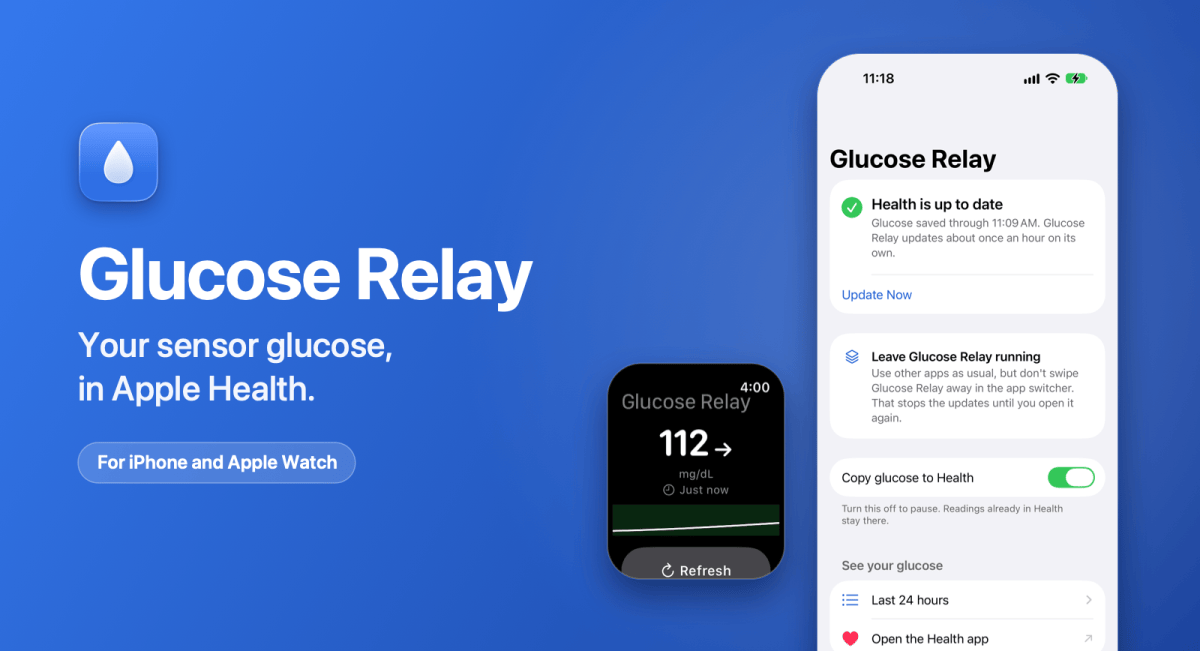
So I built Glucose Relay. It is a small iPhone app that copies your Libre readings into Apple Health, and puts your latest reading on the Lock Screen, the Home Screen, and your Apple Watch. It went on the App Store on November 6. It costs $1.99 in the United States, bought once, with no subscription and no account.
What it does
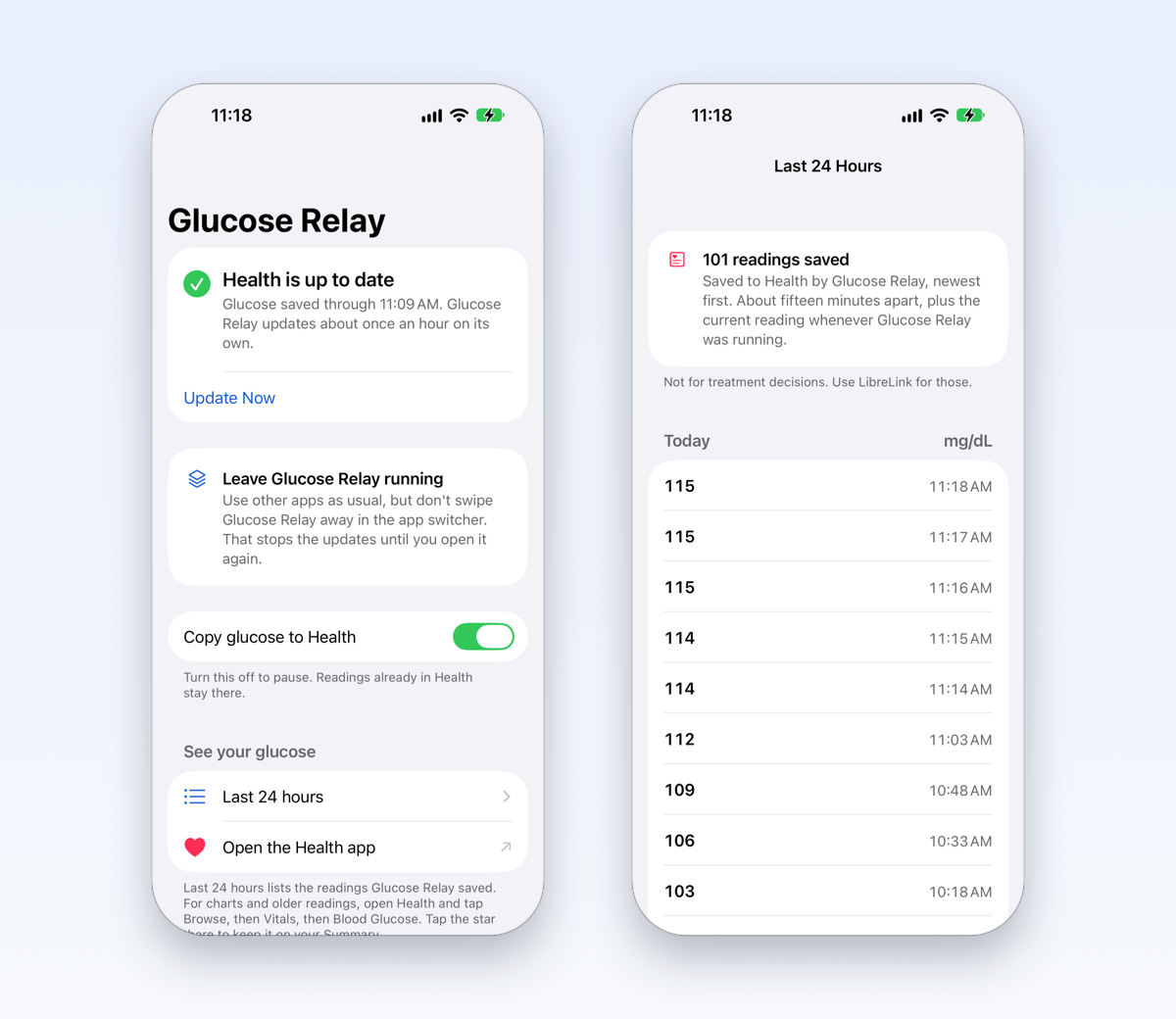
- Saves your glucose to Health. Each reading goes into Apple Health as Blood Glucose, beside your sleep, activity, and heart rate. It stays in your own long-term record, and you can share it with your care team or with apps you choose.
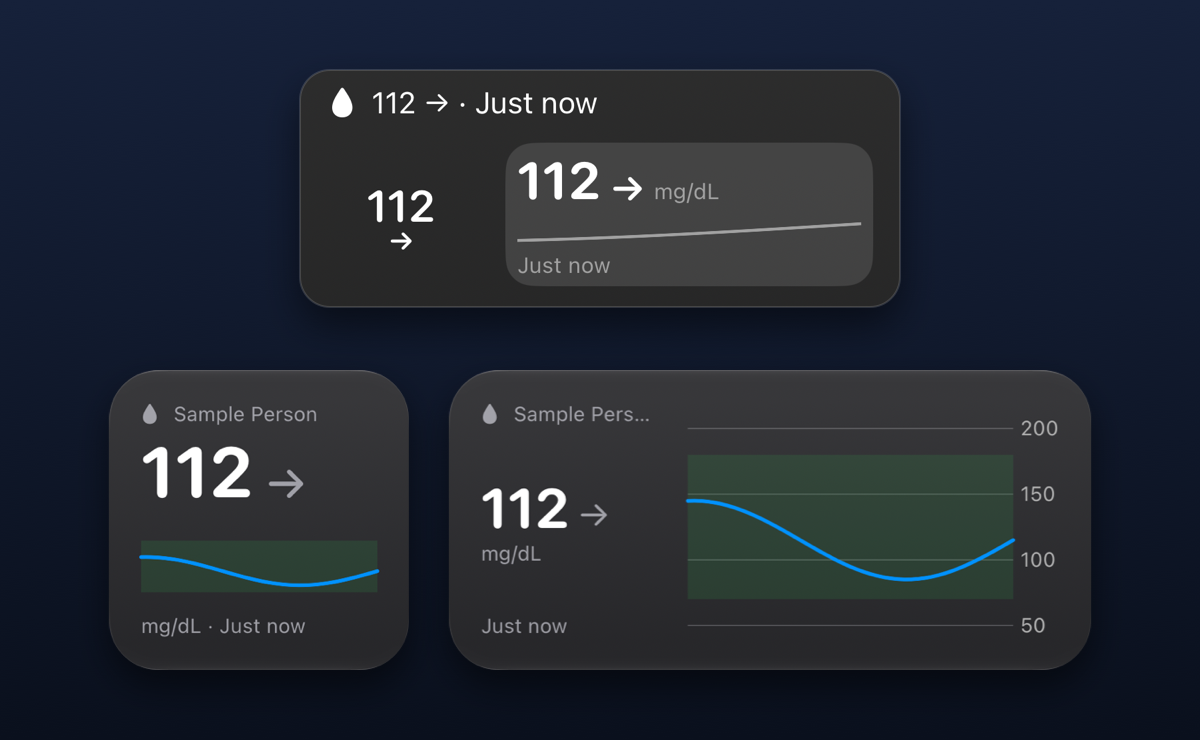
- Shows it on the Lock Screen and Home Screen. Widgets carry your latest reading, its trend arrow,pho and how old it is. The Home Screen sizes add a chart of the last twelve hours.
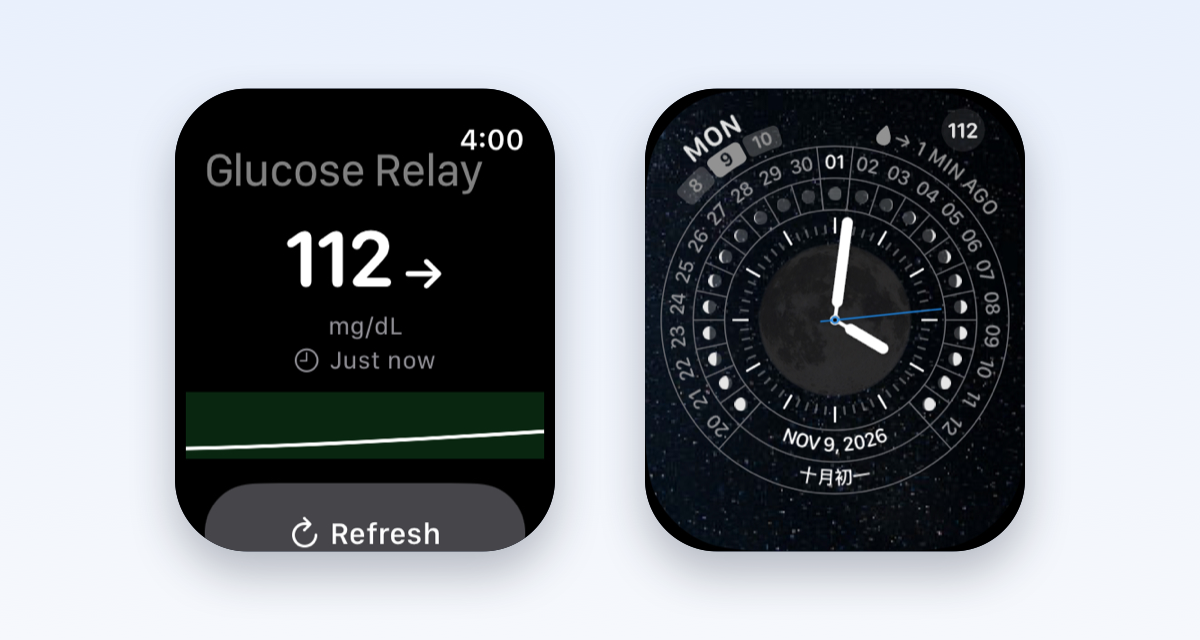
- Shows it on your wrist. There is an Apple Watch app, and a complication for the watch face. It comes with the iPhone app, so there is nothing separate to buy.
- Lists the last 24 hours. One screen lists every reading the app saved to Health in the past day, newest first, in your own unit.
How it works
Glucose Relay never talks to the sensor. It follows your readings through LibreLinkUp, Abbott’s sharing service, the way a family member would. You make a free LibreLinkUp account, share your glucose with yourself, and sign in to Glucose Relay with it. The app walks you through the steps.
The timing deserves a plain answer, because iOS decides when an app may run in the background. On its own, Glucose Relay updates Health about once an hour. While it is on screen, it updates every minute. Each update covers the last twelve hours, so the next one fills in any missed hour.
The widgets and the watch fetch for themselves, about every fifteen minutes. A reading older than fifteen minutes is marked with a clock, so an old number never passes for a new one.
One tip: leave the app running. Use other apps all you like, but do not swipe Glucose Relay away in the app switcher. That tells your iPhone to stop waking it.
Four versions in the first week
Glucose Relay went from 1.0 to 1.3 in its first six days, and Apple approved each version within a day.
- November 6, version 1.0. Readings into Apple Health.
- November 9, version 1.1. Lock Screen and Home Screen widgets.
- November 10, version 1.2. The Apple Watch app and its complication.
- November 11, version 1.3. The Last 24 Hours list.
That last one came from a user. They asked for a list of the past day’s readings inside the app. It was a good idea, so I built it.
What I said no to
The same user asked for a few more things, and I declined. The reasons say a lot about how the app is built.
- A glucose number on the app icon. A badge has no age. The app runs about once an hour in the background, so the badge would show an old number as if it were current. With glucose, that is worse than no number at all.
- Checks every five minutes. iOS decides how often an app or a widget may run, not the developer. A setting that says five minutes and delivers thirty would be a broken promise. An app that reads the sensor over Bluetooth can update every minute, because the sensor wakes it. Glucose Relay never touches the sensor.
One more thing it is not: Glucose Relay is not a medical device. It is not an alarm, and it is not a substitute for LibreLink. Do not use it for treatment decisions.
Private by design
Your readings go from Abbott to the Health app on your iPhone and nowhere else. I never see them.
There is no Glucose Relay account, no server of mine, no analytics, and no tracking. Your LibreLinkUp password is kept in your iPhone’s Keychain and sent only to Abbott. If you use the watch app, the iPhone hands the password to the watch’s Keychain once, over Apple’s encrypted connection between the two.
The privacy policy is short, and it says the same thing.
Get it
Glucose Relay is on the App Store for $1.99 in the United States, bought once.
It needs iOS 17 or later, a FreeStyle Libre sensor with the LibreLink app, and a LibreLinkUp account. The watch app needs watchOS 10 or later. The Glucose Relay page has pictures, the setup steps, and how to reach me if something is not working.
If you want your glucose on a Mac as well, Glucose Relay grew out of LibreBar, my menu bar app for macOS.
FreeStyle Libre, LibreLink, and LibreLinkUp are trademarks of Abbott. Apple Health is a trademark of Apple Inc. Glucose Relay is an independent project, not affiliated with or endorsed by Abbott or Apple.

